
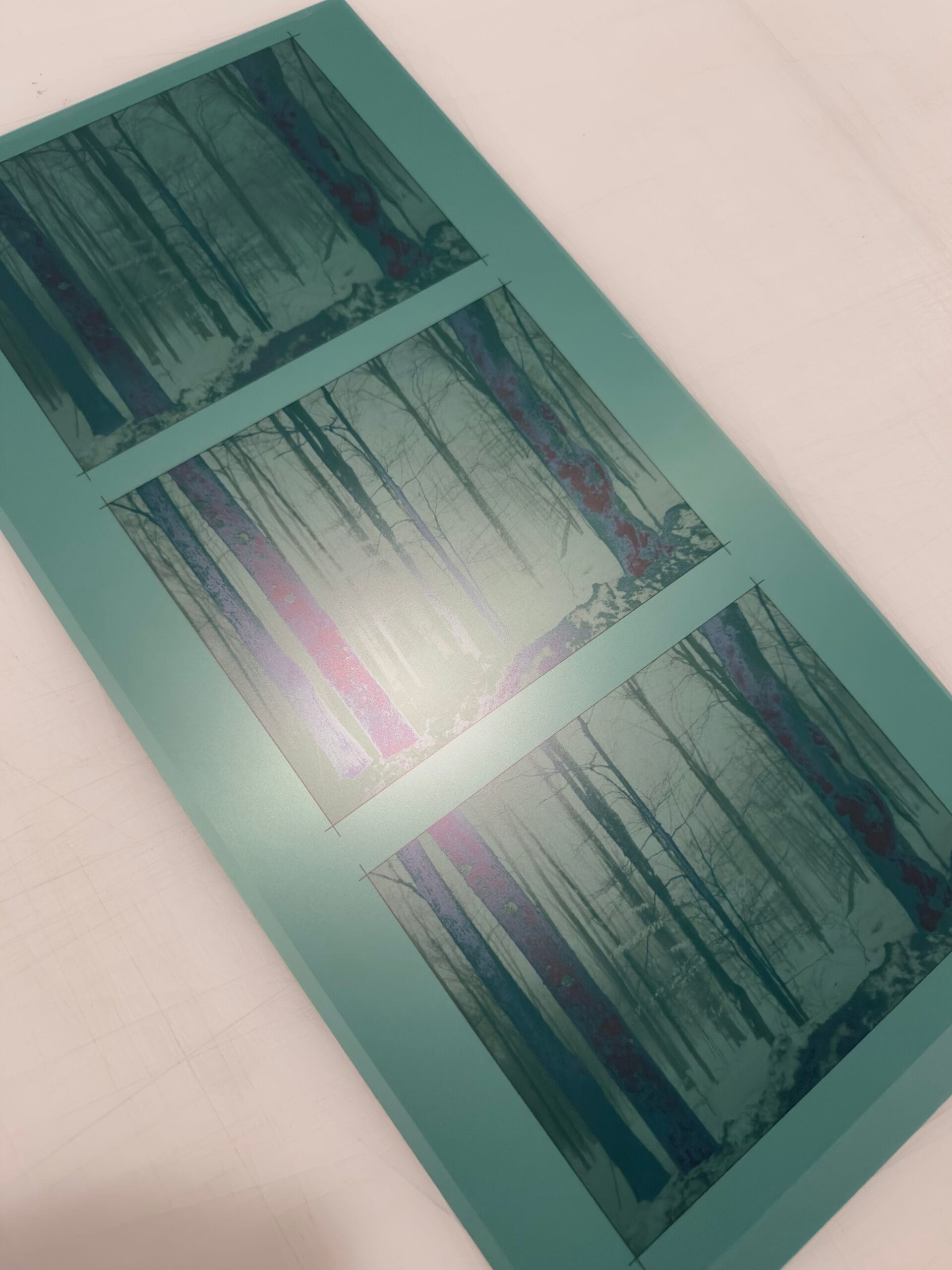
We manufacture exceptionally high-quality photogravure plates from digital files. We work at remarkable speed, ensuring dedicated turnaround times for artists and studios around the globe.
Drop in your image files and get an instant price for each plate. Nothing uploads until you accept a quote. Send your order to us for review and an invoice, or check out here and get a live shipping quote.
Not sure how to size your file? See the FAQ. By default we cut plates to the uploaded image dimensions, so if you want a border, add it in Photoshop first.
Need a plate calibrated for a different ink, for example one with more transparency? Tell us here. Our default plate is calibrated for 2 parts Zea Mays Transparent Base, 5 parts Charbonnel 55981 and 5 parts Gamblin Bone Black. Add any other requests too (optional).
Adds your plates to the cart. Shipping is calculated at checkout from live carrier rates for the package size and weight.
We look everything over and send you an invoice later. No payment now.
We look at every order that comes in, paid or not, and can adjust as needed.
At Prints on Paper we developed our own plate printing method. It pairs Epson printers and original Epson ink with Torelief steel-backed letterpress plates, which resolve 20 micrometre (µm) dots, and a unique “dot-aware” dither algorithm. The result is exceptionally smooth tonal transitions, without the dot overlap (or noise) common to older direct-to-plate services. Intaglio printmakers get the finest lines and a wide range of gray values from any digital file, whether it is photographic, vector or digital-first.
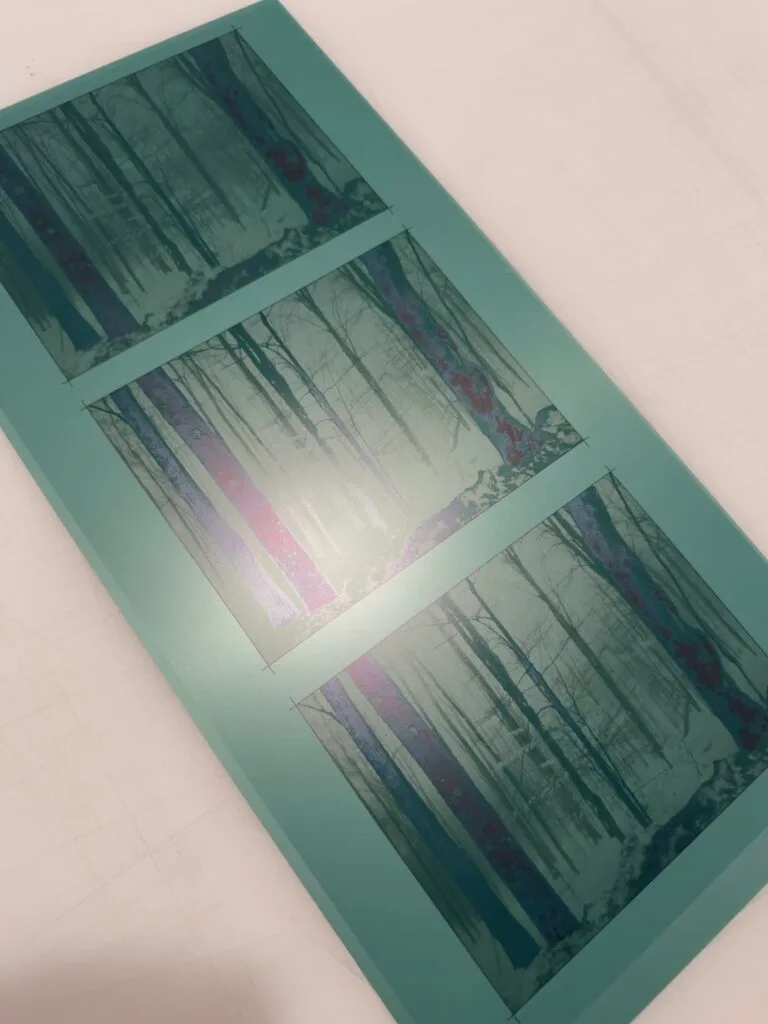
First the image is printed as a tri-tone (minimum), generally using MK, Cyan and LK ink directly onto the polymer plate at 2880 dpi. PK and Violet ink can also be used if 4k or 5k is desired.
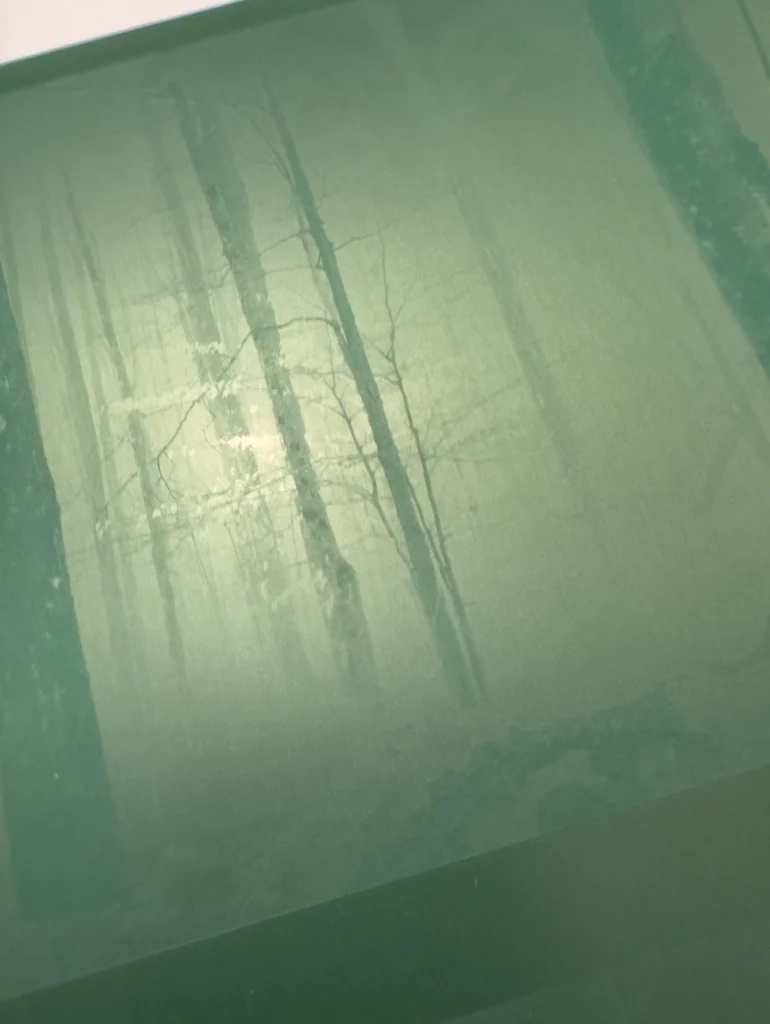
Then the plate is exposed, washed, dried and exposed again. This hardens the texture so it can hold ink. The image above shows the plate after first exposure and drying.
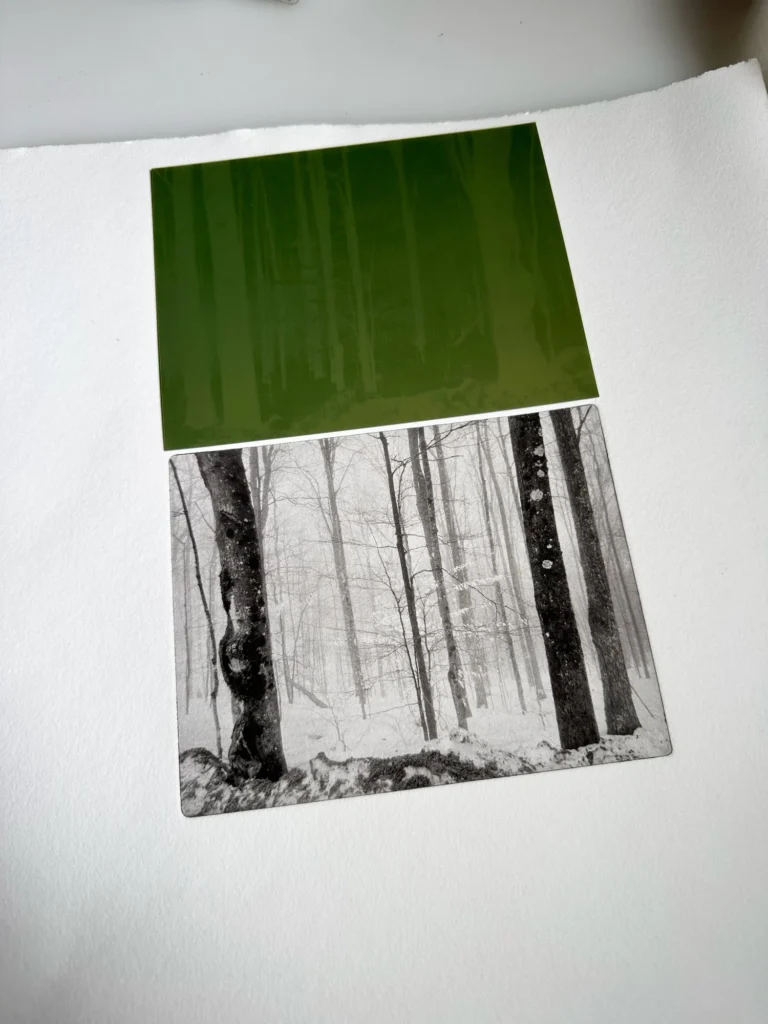
These plates give a screen-to-print match with thousands of tonal transitions and no grain. We ship worldwide with 24–48 hour turnarounds normal, and 20–50 prints are possible per plate.
The quote on each file above is calculated automatically from its plate dimensions. This guide shows typical plate sizes.
| Plate size | Online order | In-studio production day |
|---|---|---|
| 5 × 7″ | $86.74 | $65.00 |
| 8 × 10″ | $120.82 | $90.61 |
| 11 × 14″ | $176.14 | $132.10 |
| 16 × 20″ | $296.96 | $222.72 |
| 18 × 24″ | $375.93 | $281.95 |
| 20 × 30″ | $490.52 | $367.89 |
| 30 × 40″ | $861.98 | $646.49 |
We make exceptionally high-quality photogravure plates from digital files at remarkable speed, with dedicated turnaround times. Once you start an order we print your plates promptly and dispatch them anywhere in the world.
We believe photogravure has finally earned its place as a true continuous-tone photographic printing method, alongside silver gelatin and inkjet. Joining this plate process to a digital-first workflow opens up new possibilities. What sets gravure apart is its range of papers and inks. Double plate printing, chine-collé and more: it is an incredibly expressive medium.
We also teach artists, art departments and studios to make their own plates. Email us to enquire about a studio setup.
Photoshop and TIFF files only: .tif / .tiff, .psd and .psb (large-format Photoshop). Other formats such as JPEG, PNG or PDF will be declined. Files up to 2 GB are fine, and uploads retry automatically if your connection hiccups.
No. Upload your file as it is. Our process is calibrated to match a high-quality file, and the normal contrast you see on your monitor, when the plate is printed on fine art etching paper. The print is meant to look like your file on screen, so there is nothing to compensate for.
That means you do not need to flip or mirror the image, add noise or grain, raise the contrast, lighten or darken it for the plate, convert it to a special curve, or make any other photogravure-specific adjustment. Edit the image the way you would for any fine-quality print, and send it. We take care of the plate.
The only thing to set before you upload is the document size, so the plate comes out at the dimensions you want (see below).
No to all three. Please don’t mirror the image, add noise or grain, or push the contrast or tonal curves to “prepare” it for gravure. Because the process is already calibrated to match a normal, well-adjusted file, extra adjustments like these can make your print drift away from what you see on screen.
If you want a different look, edit for that look on your monitor, and we will print what you see. If you are unsure, upload the file as it is. Every order is looked over, and you can add a note in Notes for your order or email hello@printsonpaper.studio.
Your file’s document size must equal the finished plate size. We read that size from the file header to price your plate, so it has to be right before you upload. In Photoshop:
Photoshop’s default is 72 ppi, which is often not what you intend. The quote on each file shows the plate dimensions we read, so check they match before you accept.
Right proportions but the wrong size? You can change the plate size right in the order tool: click Change size on the file, type either side, and the other side follows so the image is never stretched.
Want a border around the image? Size the image first, then add the border (see Can you add a border to my plate?).
You don’t need to downsample. We print plates at 2880 dpi and can resolve up to 720 ppi from your file, so send the resolution you have rather than sizing down to 300 or 360 ppi. If you are choosing, 400 ppi is a happy, high resolution that works at any plate size.
Our default plate is calibrated for an ink mix of 2 parts Zea Mays Transparent Base, 5 parts Charbonnel 55981 and 5 parts Gamblin Bone Black, printed on fine art etching paper.
If you print with a different ink, for example one with more transparency, we can calibrate your plate for it. Tell us about the ink in the Notes for your order box in the order tool, along with any other requests, and we will look it over with the rest of your order and adjust as needed. You still don’t need to change your file: the calibration is done on our side.
Yes. Click Add a special request on any file to tell us what you need, for example a plate cut in a curve, or cut along a feature in the image. An order with a special request is quoted by hand: online checkout is turned off for that order, you submit it for review, and we add the extra labor to the plate price before we send your invoice.
The largest plate we can make is 30″ × 41″, in either orientation. That limit comes from our printer’s margins and the thumb space a plate needs so it can be carried. Odd-ball sizes (like 1″ × 40″) may be priced differently, so email hello@printsonpaper.studio.
Price is based on the plate’s area, so bigger plates cost less per square foot. Prices do not include taxes or shipping, and quotes are estimates until we have looked over your files.
24–48 hour turnarounds are normal, and we ship worldwide. For bulk work at expedited, consistent turnarounds, email us to set up an account.
Typically 20–50 prints per plate.
Yes. Tick Add a second at 30% off on any file in the order tool and the second plate is 30% off. It is handy as a backup during an edition run.
By default we cut plates to the exact dimensions of the file you upload, so a border has to be part of the file. Plan the image and its border together:
For example, an 8 × 10 in image with a ¼ in (0.25 in) border all around becomes an 8.5 × 10.5 in plate, so the canvas size to enter is 8.5 × 10.5 in. The document is now the finished plate size, which is the size we read and quote.
When you click Accept & Upload the file will upload to our secure server and be added to your order. You can still remove the file until you check out or submit the order.
Yes. We look at every order that comes in, whether you check out or submit it for review, and can adjust as needed.
Check out is the fastest path: your plates go into the cart and you see a live shipping quote. If you want us to look over your files before any charge, submit the order for review and we’ll send an invoice.
Yes. We teach artists, art departments and studios how to make their own plates. Email us to enquire about a studio setup.
