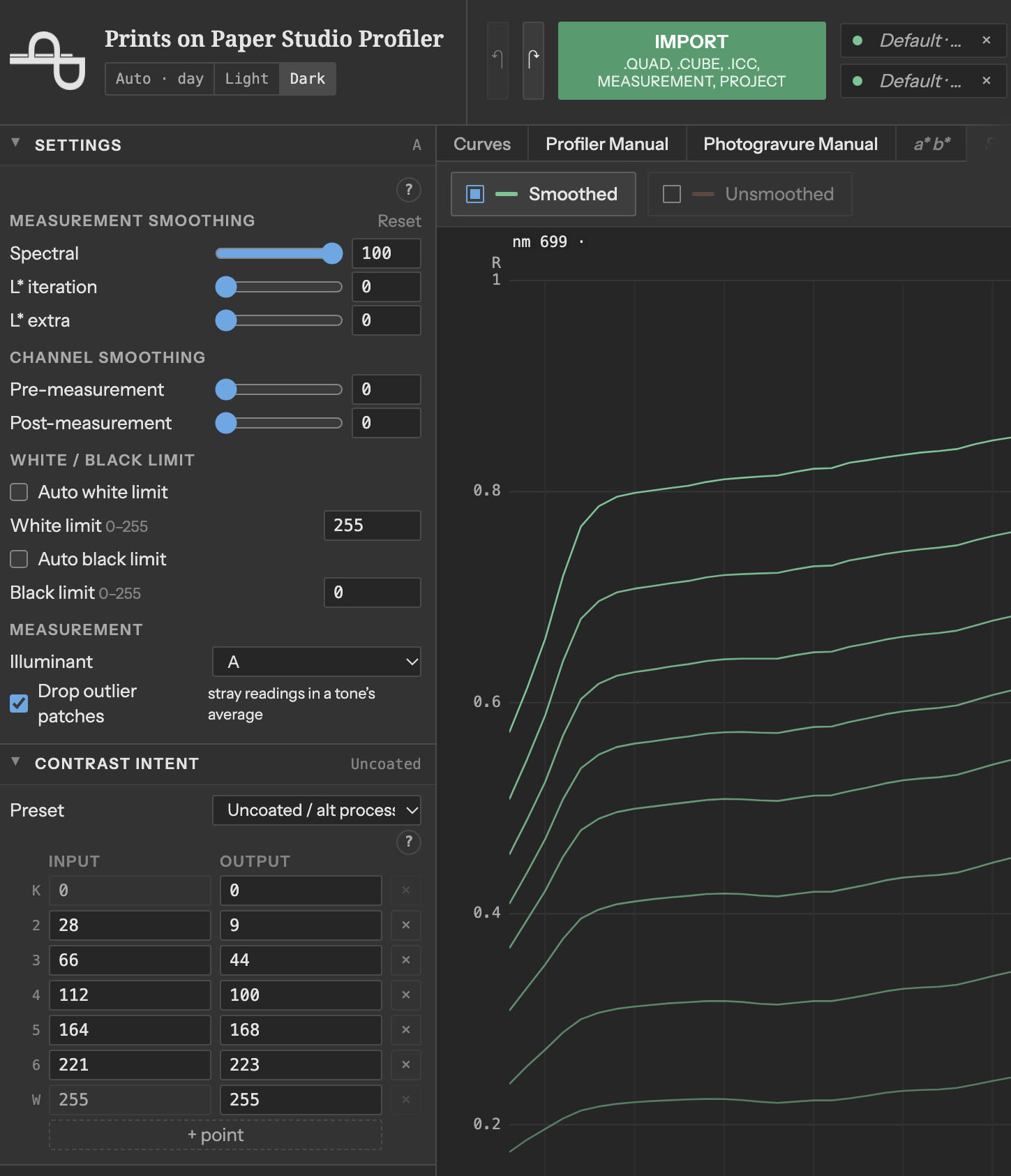
Every output method starts out slightly off: shadows block up, highlights blow out or fog, mid-tones sit too light or too dark, gradients band. Prints on Paper Studio Profiler measures how your print actually came out and builds the correction that brings the next print where you want it. Print a target, measure it, print again, and get back to actually making art. It runs in any modern web browser on any OS.
It works for any monochrome print method: black and white inkjet, contact prints from digital negatives (platinum, palladium, salt, cyanotype and others), and direct-to-plate photogravure, which is what we built it for in our own studio.
This profiler allows for iterative calibration with all file types: .quads, positive .iccs, digital negative .iccs, positive .cubes, digital negative .cubes. That means every calibration can be re-imported as a starting point and it’s linked printed target measurement can refine that calibration as your printing environment or workflow changes. You can keep your studio up to date without starting from square one.
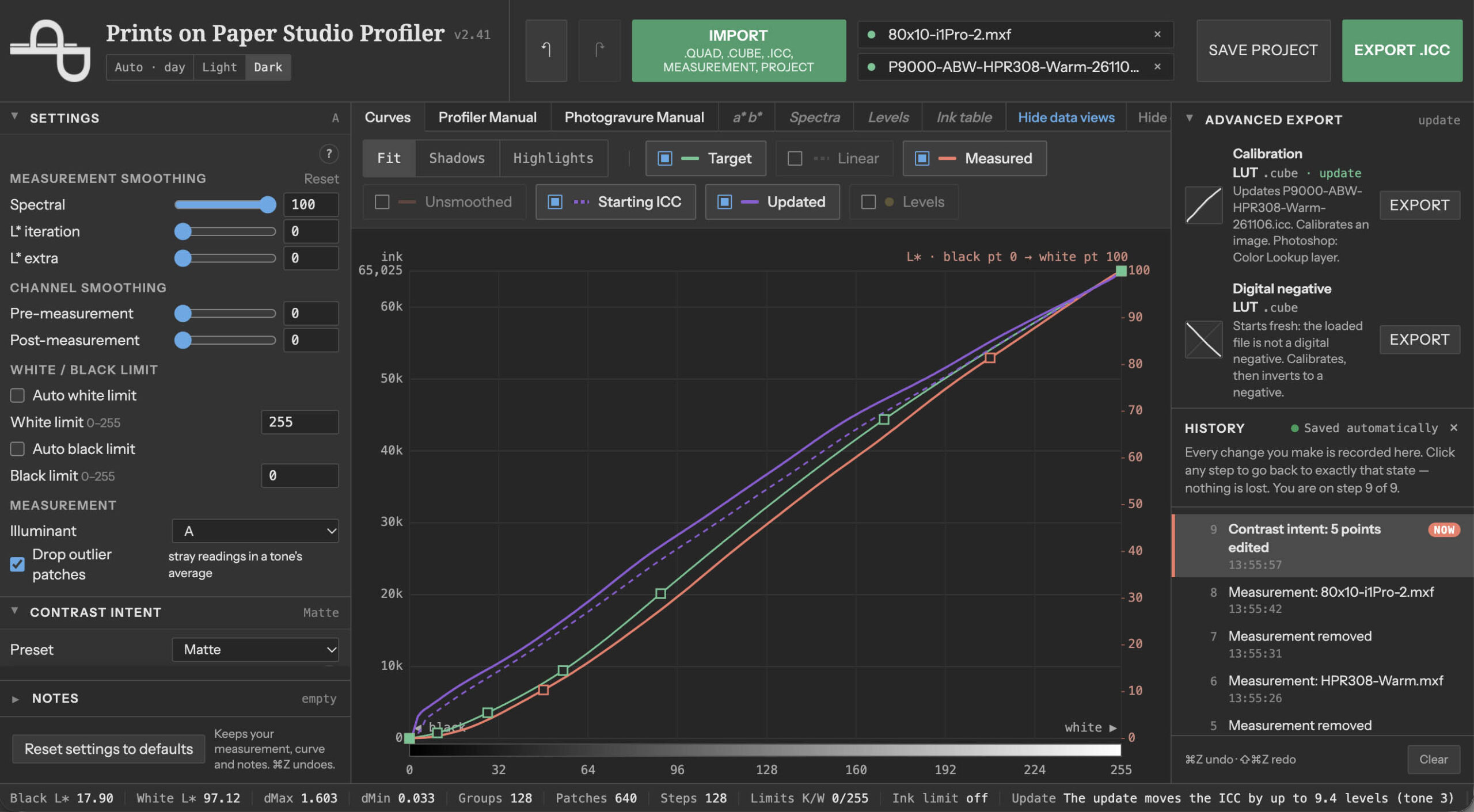
Keeping prints consistent. Humidity, temperature, a new batch of ink, plates, sensitizer or paper, or a change you make on purpose, such as a new paper or a more transparent ink, all move the print a little. Print a target through the calibration you already have, and the Profiler moves it by just that much. A small correction from a calibration that is already close is more exact than starting again from zero.
| Category | Requirements |
|---|---|
| Computer | A current desktop browser. Chrome or Edge recommended (Save As dialogs); Safari and Firefox work too. |
| Instrument | A spectrophotometer that exports spectral data with each patch’s RGB value, such as an X-Rite i1Pro 2 or i1Pro 3 |
| Measuring software | i1Profiler (.mxf) or any software that saves CGATS text with spectral columns |
| Printing | For .quad curves, QuadToneRIP. For profiles, a layout app that prints through ICC profiles (Print-Tool, Photoshop, Lightroom, Canon Professional Layout) and your printer’s driver. For LUTs, an image editor that reads 1D .cube files. |
The Profiler is an advanced tool. It assumes you know how to print a target and measure it. The included Profiler Manual explains every panel by what it does to the print.
Buy the Profiler on its own to calibrate inkjet, digital negatives or any other monochrome print. If you print direct-to-plate polymer photogravure, the Photogravure Workflow & Studio Setup includes the Profiler, plus our starting curves, targets, the online Photogravure Manual and videos, with optional remote setup support.
What kinds of printing is it for?
Any monochrome output. Black and white inkjet through QuadToneRIP, or through an ICC profile in Print-Tool, Photoshop, Lightroom or Canon Professional Layout. Digital negatives for platinum, palladium, salt, cyanotype and other contact printing processes. Direct-to-plate photogravure. If you can print a gray ramp and measure it, the Profiler can calibrate it.
How do I get the Profiler after I buy it?
Sign in to your account and open printsonpaper.studio/profiler, or choose Profiler in the My Account menu. Checkout creates an account if you don’t have one. The Profiler Manual opens in its own tab inside the Profiler.
How often do I need to calibrate?
Once, then small updates. When humidity, temperature or a new batch of ink, paper, plates or sensitizer moves the print, print one target through your current calibration and the Profiler updates it. Start over only for a new process.
Can our school or studio share one license?
Yes. One purchase is one license and one login, and you may share that login with your staff or students.
Do I need QuadToneRIP?
Only for .quad curves. Profiles work from a layout app such as Print-Tool, Photoshop or Lightroom, printing through the Epson driver (including Advanced Black and White) or the Canon driver. LUTs are applied to the image in Photoshop.
What instruments and targets does it work with?
Any spectrophotometer that exports spectral data (i1Profiler .mxf or CGATS text). For the i1Pro 2 and i1Pro 3 we supply ready-to-print targets with matching i1Profiler measurement workflows, in two sizes: 80×10 (800 patches) and 21×16 (336 patches). The Target Creator makes a custom target if you need one.
Where do the files go?
Each export opens a short dialog that adds the date to the file name and shows where the file belongs. On a Mac, .quad curves go in your QuadToneRIP curve folder and ICC profiles go in /Library/ColorSync/Profiles. LUTs go wherever your image editor loads them from.
Are there videos?
Yes. The Profiler Manual has short videos for the main tasks, from a tour of the screen and a first calibration to measuring in i1Profiler, ink limits, curve blending, channel remapping, LUTs in Photoshop and printing with ICC profiles.
Does it work on Windows?
Yes. The Profiler runs in a web browser on Mac or Windows. Your printing and measuring software have their own requirements.
Does it do color toning or neutralizing?
No. It is a monochrome profiler. You can shift individual inks by hand to warm or cool a print, but there is no automatic toning or neutralizing.
Are updates included?
Updates to version 2 are included. A future version 3 or desktop app may be a paid upgrade.
Can I get a refund?
No. Once opened, the software can be downloaded and shared, so all sales are final.
Is support included?
The Profiler Manual is included. Personal support is paid and booked by the hour: write to hello@printsonpaper.studio.
Sold under the Prints on Paper Studio Profiler Software License.